

Dye migration, also called resublimation, is real, common on polyester, and almost entirely preventable. It shows up as a pink or reddish haze bleeding through your white ink, and it happens because the garment’s own disperse dyes re-gas under heat and travel into the print layer, often not fully visible for hours after you unload the press.
Three fixes stop most cases before they start:
- Lower your press temperature to the low end of the range your film and ink manufacturer recommends.
- Shorten dwell time so the fabric spends less time at peak heat.
- Pre-press for 5 to 15 seconds to drive out moisture that would otherwise turn to steam and accelerate the reaction.
If you’re working with a heavily sublimated garment, like a dye-sub jersey or a dark dye-heavy polyester tee, plan on a blockout transfer as your backup. It’s cheap insurance compared to reprinting a bulk order.
Key Takeaways
Dye migration on polyester is preventable with lower press temperature, shorter dwell time, verified platen heat, and a mandatory test press on unfamiliar blanks.
| Point | Details |
|---|---|
| Migration is delayed | Discoloration can take up to 48 hours to fully appear, so check test presses at that mark before approving a blank. |
| Temperature and dwell drive risk | Lowering press temperature and shortening dwell time are the two highest-impact fixes available. |
| Trust a thermometer, not the display | Platen surface temperature often differs from the press readout, so verify it with an infrared thermometer. |
| Blockout is a targeted tool | Reserve blockout transfers for heavily sublimated or high-value garments rather than every job. |
| Transferkingz supports testing | Transferkingz can supply DTF transfers and blockout options with no minimum order, making small test batches practical before full production. |
Table of Contents
- What Is DTF Dye Migration, Exactly?
- Why Heat, Time, Pressure, and Moisture All Matter
- Which Fabrics and Garments Carry the Highest Risk
- Prevention Checklist for DTF Application
- Blockout Transfers: The Backup Plan for High-Risk Fabrics
- A Repeatable Test Protocol for New Fabrics
- When Migration Shows Up After the Press
- A Simple Habit That Prevents Repeat Failures
- Order DTF Transfers Built for Polyester Risk
- Sources
What Is DTF Dye Migration, Exactly?
Resublimation is the technical term for what most decorators just call dye migration. It happens when disperse dyes already locked into polyester fibers turn back into a gas under press heat and bleed upward into your DTF ink film, discoloring your design from underneath. This differs from ordinary “dye migration” language you’ll hear tossed around loosely; resublimation specifically refers to dyes that were sublimated into the fabric during its manufacturing and are now re-activating.
You’ll recognize it by a few consistent signs:
- A pink, orange, or reddish haze over white or light-colored ink areas.
- Color that looks clean off the press but shifts over the next several hours, sometimes not fully appearing for up to 48 hours after pressing.
- A cast that follows the shape of the garment’s original color, not the print design.
Don’t confuse it with ghosting (a shadow from paper shift), fading (loss of ink saturation), or poor adhesion (peeling or cracking). Migration is a chemical bleed-through, not a mechanical or adhesion failure, and it keeps getting worse after the press cycle ends rather than staying static.
Why Heat, Time, Pressure, and Moisture All Matter
Every polyester garment carries dye that was already sublimated into its fibers at the mill. That dye sits stable at room temperature, but heat reopens the chemical door. Once the fabric crosses a certain temperature threshold, disperse dye molecules turn gaseous again and migrate toward the coolest, most absorbent surface nearby, which is usually your fresh DTF ink layer.
Temperature and dwell time are the two biggest levers. The hotter the platen and the longer the fabric sits under it, the more dye gets mobilized. This is exactly why press displays lying about actual platen temperature is such a common root cause of unexplained migration. A press reading 300°F can easily be running noticeably hotter at the actual platen surface, especially on older or poorly calibrated equipment.
Moisture and pressure act as amplifiers rather than root causes. Trapped moisture turns to steam under heat, and that steam helps carry mobilized dye molecules through the ink film faster. Heavy pressure compresses the fibers tighter against the transfer, which can push migrating dye upward with more force. Neither one causes migration on its own, but both make an already-risky fabric worse.
Which Fabrics and Garments Carry the Highest Risk
Not every polyester blank is a gamble. Risk concentrates in a specific category of goods.
- Sublimated polyester (dye-sub jerseys, all-over-print apparel, custom team wear).
- Sportswear made from performance polyester with dense, saturated dye loads.
- Bright reds, oranges, and hot pinks on polyester tend to migrate more aggressively than navy or black.
- Coated synthetics and moisture-wicking fabrics that trap heat and steam against the fiber.
Before you press a full order, check the supplier’s spec sheet for fiber content and dye method. Visually, heavily saturated or neon-bright polyester is a red flag on sight; muted or pastel polyester is usually lower risk but not risk-free.
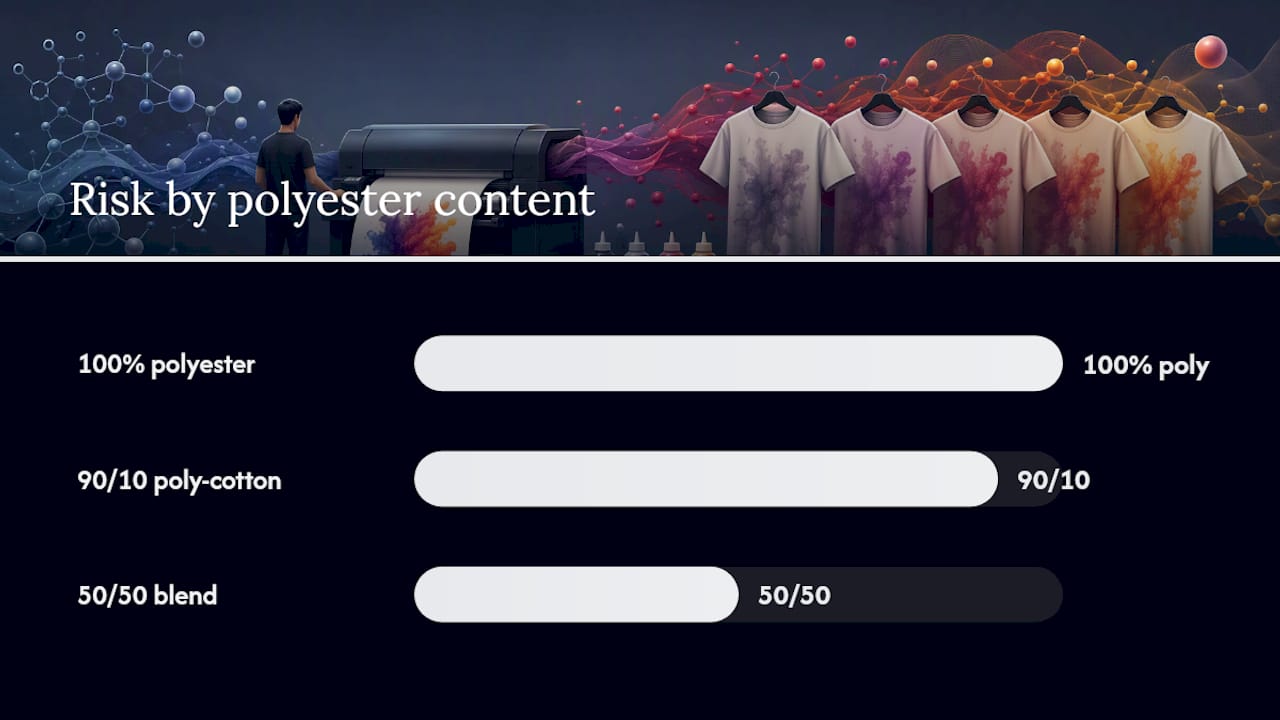
Blends behave differently depending on the ratio. A 50/50 cotton-poly blend is usually forgiving because the polyester dye concentration is diluted. A 90/10 poly-cotton blend, especially in a bright color, behaves almost like straight polyester and deserves the same caution.
Prevention Checklist for DTF Application
Prevention comes down to sequence. Work through these in order rather than changing everything at once, so you know which adjustment actually solved the problem.
- Drop your temperature first. Start at the low end of your film manufacturer’s recommended range and move up only if adhesion suffers.
- Shorten dwell time next. Cut it in small increments, checking cure quality after each change.
- Adjust pressure to medium rather than firm; excessive pressure compresses fibers and can push dye upward faster.
- Pre-press every blank for 5 to 15 seconds before applying film. This drives out residual moisture and reduces steam-driven migration.
- Use a cover sheet, Teflon or parchment, on every press cycle to even out heat distribution and protect the print.
- Tape down edges on garments prone to shifting, since movement during the press cycle causes its own set of separate defects.
- Verify actual platen temperature with an infrared thermometer rather than trusting the digital display.
- Run a small test batch of 1 to 2 pieces before committing to a full production run on an unfamiliar blank.
Pro Tip: Keep a $20 infrared thermometer next to your press permanently. It takes five seconds to check the platen and it’s the single cheapest way to catch a miscalibrated display before it ruins fifty shirts.
If your test batch still shows any hint of migration after these adjustments, move to a heavier white ink laydown, add an extra white base layer, or specify a blockout transfer for that specific garment.
Blockout Transfers: The Backup Plan for High-Risk Fabrics
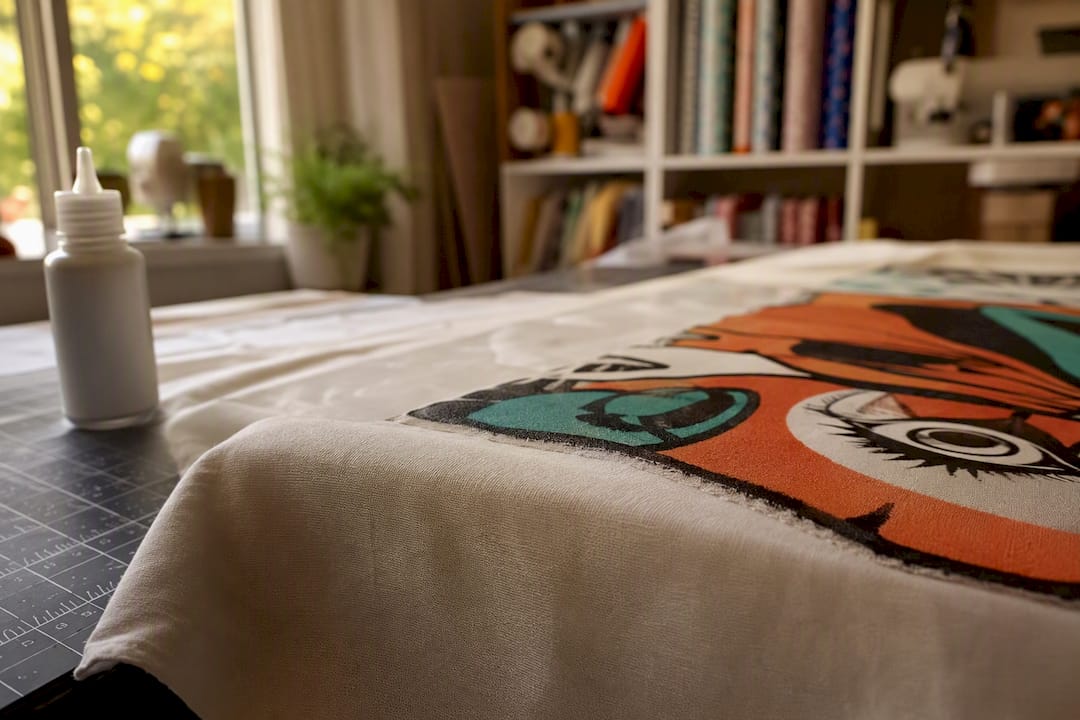
A blockout transfer adds a dedicated barrier layer between the garment and your printed design, engineered specifically to stop migrating dye from reaching the ink film. Think of it as a physical wall rather than a chemical fix. For heavily sublimated jerseys or bright polyester sportswear where temperature and dwell adjustments alone aren’t enough, it’s often the most reliable option available.
That protection comes with tradeoffs. Blockout layers add thickness, which changes the hand feel of the finished print, and they add cost per transfer. On very light or pastel base colors, some decorators also notice a subtle warmth or shift in how the top color renders. Blockout transfers are best treated as a targeted tool for high-value or known-risky orders, not a default you slap on every job regardless of fabric.
When ordering, specify the garment’s fiber content, color, and dye method (sublimated versus piece-dyed) so your supplier can confirm whether blockout is warranted, and ask directly whether their blockout option is rated for sublimated polyester specifically, since not all barrier layers perform equally against re-gassing disperse dye.
A Repeatable Test Protocol for New Fabrics
Before running production on any polyester blank you haven’t printed before, run this sequence:
- Pre-press the blank for 5 to 15 seconds to remove moisture.
- Press one transfer sample at your target settings.
- Let it cool undisturbed, then peel per the film’s warm or cold peel spec.
- Inspect immediately, then again at 24 and 48 hours under consistent lighting.
Log the following for every test, ideally in a simple spreadsheet you can reference later: measured platen temp (not display temp), dwell time, pressure level, ambient humidity, blank fiber content and supplier, and a photo taken right after pressing and again at the 48 hour mark.
| Log Field | Why It Matters |
|---|---|
| Platen temp (measured) | Confirms actual heat versus display reading |
| Dwell time | Longer dwell increases dye mobilization risk |
| Pressure level | Heavy pressure compresses fibers, amplifying migration |
| Blank fiber content | Poly percentage and dye type set baseline risk |
| 48 hour photo | Reveals delayed discoloration invisible at unload |
Pass means zero visible color shift at the 48 hour check. Fail means any haze or cast, at which point you either retune settings and retest or escalate straight to a blockout transfer for that blank.
When Migration Shows Up After the Press
If a finished order comes back with a pink or reddish cast, start with diagnostics, not panic. Re-measure your platen temperature, check whether items were stacked hot before fully cooling, and review whether humidity or press settings changed recently.
Once dye has migrated into fabric, it’s almost always permanent. There’s no post-press fix that reliably pulls the color back out. Your realistic options are reprinting on a different blank or switching that garment to a blockout transfer going forward. Be upfront with the customer about what happened and offer a replacement rather than promising a repair that won’t hold.
A Simple Habit That Prevents Repeat Failures
Most migration complaints trace back to skipping a test press on an unfamiliar blank. Treat every new fabric lot the same way you’d treat a new ink batch: run one or two samples, check them at 48 hours, and log the result before committing a full order to it.
Order DTF Transfers Built for Polyester Risk
Transferkingz supplies DTF transfers designed to hold up on the exact fabrics where dye migration causes the most headaches, including heavily sublimated polyester and dark synthetic blends. Instead of guessing at settings on a bulk order, you can request a sample or small test run before committing to full production, and ask about blockout options for garments you already know run hot on migration risk.
There’s no minimum order requirement, so testing a new blank or fabric type doesn’t mean committing to hundreds of sheets first. Whether you’re running a single custom order or supplying a production shop, Transferkingz ships nationwide with fast turnaround, and local pickup is available for the Dallas market. If you’re decorating polyester regularly, start with a small test batch through the Texas ordering page and confirm your settings before you scale up.
Sources
- Understanding Resublimation, Dye Migration and Blockout in DTF Printing
- 6 Ways to Avoid Dye Migration During Heat Printing
- Sublimation troubleshooting: fix faded prints, ghosting & banding
0 comments