

TL;DR:
- Proper material selection and high-resolution artwork setup are crucial for successful DTF printing.
- Following a consistent workflow and troubleshooting guide improves print quality and operational efficiency.
- Mastering basics outweighs equipment upgrades, enabling small businesses to scale effectively.
You’ve spent hours perfecting a design, ordered your blanks, and pressed the transfer, only to peel back the film and find washed-out colors, lifted edges, or a blurry print that looks nothing like your original artwork. It’s one of the most frustrating moments in custom apparel production. The good news is that most of these problems trace back to a handful of fixable mistakes, not bad luck. Whether you run a small print shop, sell on Etsy, or are building a branded merchandise line, these practical DTF printing tips will help you get consistent, professional results every single time.
Table of Contents
- Know your materials and artwork requirements
- Optimize your DTF printing workflow
- Troubleshooting and perfecting DTF transfers
- Scaling and differentiating your custom apparel with DTF
- Why mastering the basics outshines trendy upgrades in DTF printing
- Take your custom printing further with Transfer Kingz
- Frequently asked questions
Key Takeaways
| Point | Details |
|---|---|
| File prep is vital | Using the right file type and resolution prevents costly errors later on. |
| Consistent workflow matters | Structured production steps help you avoid mistakes and save resources. |
| Troubleshooting saves time | Quickly fixing common DTF issues increases print quality and customer satisfaction. |
| DTF enables business growth | Optimized DTF lets you scale up and offer distinctive, high-margin apparel. |
Know your materials and artwork requirements
Every great DTF print starts before you ever touch a heat press. The foundation is choosing the right garment and setting up your artwork file correctly. Skip either step and you’re setting yourself up for problems that no amount of pressing can fix.
When it comes to fabric, DTF transfers bond well to cotton, polyester, and cotton-polyester blends. Fabrics with a tight, smooth weave give you the cleanest adhesion and sharpest color reproduction. Heavily textured fabrics, like thick fleece or waffle knit, can cause uneven adhesion and reduce the lifespan of your print. Always test a new fabric before committing to a full production run.
Artwork setup is where many small businesses lose money without realizing it. Preparing high-resolution artwork is crucial for DTF printing success, and that means working at a minimum of 300 DPI at the actual print size. Submitting a 72 DPI web image stretched to 12 inches will produce a pixelated, soft-looking transfer every time.
Here are the key artwork requirements to check before every order:
- File format: PNG with a transparent background is the standard. It preserves crisp edges and eliminates unwanted white boxes around your design.
- Resolution: 300 DPI minimum at final print size. Never scale up a low-res file.
- Color mode: Use RGB for DTF printing. CMYK profiles are built for offset printing and can cause unexpected color shifts in your final transfer.
- Transparency: Make sure your background is truly transparent, not white. A white background will print as a white box on your garment.
- Bleed and sizing: Include the exact dimensions in your file name so there’s no confusion during production.
For business branding with DTF, consistent file setup also means your brand colors reproduce accurately across every order, which matters a lot when you’re building customer recognition.
Pro Tip: Name your files with the design name, print size, and color profile included, for example, LogoFront_10x10_RGB_300dpi.png. This single habit eliminates a surprising number of production errors and makes reorders effortless.
Optimize your DTF printing workflow
Once your designs and materials are lined up, a smooth workflow ensures you put those foundations to use. Following efficient DTF workflows reduces mistakes and wasted products, and the shops that scale successfully are almost always the ones with the tightest processes.
Here’s a step-by-step pre-production workflow that works for both solo operators and small teams:
- Verify artwork files. Check resolution, color mode, file format, and final dimensions before sending anything to print.
- Inspect your blanks. Look for fabric defects, pre-treat if needed, and confirm the garment is compatible with DTF transfers.
- Calibrate your heat press. Confirm temperature, dwell time, and pressure settings match the transfer supplier’s specifications for that specific transfer type.
- Run a test print. Before a full production run, press one transfer onto a scrap or sacrificial garment. Check adhesion, color accuracy, and edge sharpness.
- Document your settings. Log the exact settings that produced a good result so you can reproduce it every time.
- Inspect finished pieces. Do a quick quality check before packaging, looking for lifting edges, color inconsistencies, or placement errors.
“The difference between a shop that grows and one that stalls is rarely talent. It’s process. A 10-minute checklist at the start of every run saves hours of reprints and refunds.”
For heat pressing steps, the three variables that matter most are temperature, time, and pressure. Most DTF transfers press well at 300 to 320 degrees Fahrenheit for 10 to 15 seconds with medium-to-firm pressure. But always follow the specific instructions from your transfer supplier, since film and adhesive formulations vary.
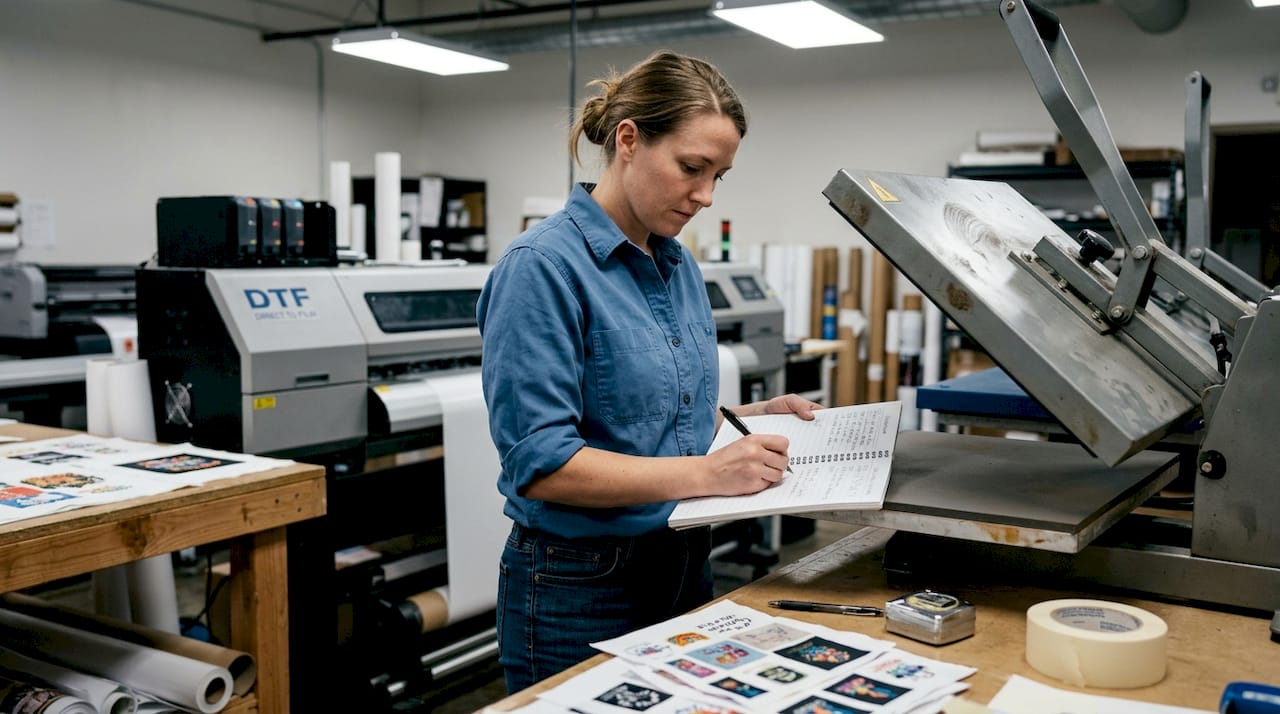
Keeping a maintenance log for your printer and heat press is also worth the effort. Clogged print heads and uneven platen pressure are silent killers of print quality. A simple monthly cleaning schedule and pressure check can prevent the majority of recurring issues.
Troubleshooting and perfecting DTF transfers
Even well-organized shops run into hurdles. The key is diagnosing problems fast so you can fix them before they eat into your margins. Understanding problems like undercured prints or ghosting leads to higher success rates, and knowing the likely cause cuts your troubleshooting time dramatically.
Here’s a quick reference table for the most common DTF transfer issues:
| Symptom | Likely cause | Quick fix |
|---|---|---|
| Transfer peeling at edges | Too little pressure or time | Increase dwell time by 2 to 3 seconds, recheck pressure |
| Washed-out or dull colors | Low-res artwork or wrong color profile | Resubmit at 300 DPI in RGB mode |
| Ghosting or blurred edges | Movement during pressing | Use a firm, flat pressing surface and avoid shifting |
| White haze around design | Background not transparent | Rebuild file with true transparent background in PNG |
| Cracking after washing | Undercured adhesive or wrong temp | Increase press temperature and verify with a heat strip |
| Uneven adhesion | Uneven platen pressure | Use a pressure gauge and adjust platen evenly |
For DTF transfer best practices, ghosting is one of the trickier issues because it often looks like a printer problem when it’s actually a pressing problem. Any movement of the transfer film during the press cycle will smear the ink before it bonds. A heat-resistant tape or a steady hand during placement solves most ghosting cases immediately.
Color mismatch between your screen and the final print is another common frustration. Monitors display in RGB, and if your design software is set to CMYK, the colors you see on screen will shift when printed. Always soft-proof your designs in RGB and calibrate your monitor periodically.
Pro Tip: Keep a physical or digital “problem log” where you record every issue, its cause, and what fixed it. After a few months, you’ll have a custom troubleshooting guide built from your own real-world experience, which is far more useful than any generic FAQ.
Scaling and differentiating your custom apparel with DTF
After mastering the basics and troubleshooting, position your business for growth with advanced DTF strategies. One of DTF’s biggest advantages over traditional methods is its ability to handle short runs and complex artwork without setup fees or minimum order requirements.
Custom DTF transfers are ideal for branding and allow small runs and experimental designs, which means you can test a new product idea with five pieces before committing to a hundred. That’s a game-changer for small businesses managing cash flow.
Here’s how DTF stacks up against screen printing for small-batch production:
| Factor | Screen printing (12 pieces) | DTF transfers (12 pieces) |
|---|---|---|
| Setup cost | $50 to $150 per color | No setup fee |
| Turnaround time | 5 to 10 business days | 1 to 3 business days |
| Color complexity | Limited by screen count | Unlimited colors and gradients |
| Minimum order | Usually 12 to 24 pieces | No minimum |
| Detail capability | Medium | Very high |
The DTF vs inkjet comparison also shows that DTF outperforms inkjet heat transfer paper in durability and color vibrancy, especially on dark fabrics where inkjet transfers often look faded.
Beyond the basics, here are advanced differentiators that can set your apparel brand apart:
- Metallic and specialty finishes: Some DTF films support metallic effects that add a premium look to logos and graphics.
- Fine gradients and photorealistic prints: DTF handles smooth color transitions that screen printing simply cannot reproduce at small scales.
- Custom branding tags: Print inside-neck labels or sleeve tags directly onto garments for a fully branded, retail-quality product.
- Personalization at scale: Add names, numbers, or custom details to individual pieces without any extra setup cost.
- Gang sheets: Nest multiple designs on a single sheet to maximize material use and reduce cost per print.
Why mastering the basics outshines trendy upgrades in DTF printing
Here’s something the industry doesn’t say enough: the shops struggling with print quality almost never need a new printer. They need better file prep and a consistent pressing routine.
There’s a real temptation in this industry to chase the newest DTF film, the latest ink formulation, or a shinier heat press. Equipment upgrades have their place, but in our experience, the core DTF tips around file setup, workflow discipline, and troubleshooting solve roughly 90% of quality complaints. A $5,000 press won’t fix a 72 DPI file.
The businesses that build real staying power in custom apparel are the ones that make their process boring on purpose. They use the same file naming convention every time. They run the same pre-press checklist on every job. They document every problem and its fix. That kind of operational consistency is genuinely hard to compete with, and it costs nothing to build.
Sustainable growth in this space comes from repeatability, not novelty. Master what you have before buying something new, and you’ll find that your current setup is capable of far more than you realized.
Take your custom printing further with Transfer Kingz
Ready to put your DTF strategies into action? The tips in this article give you the foundation, but having a reliable transfer partner makes execution a whole lot easier.

At Transfer Kingz, we supply premium DTF transfers with fast turnaround and no minimums, so you can test new designs, fulfill small orders, and scale without risk. If you’re based in the region, check out our dedicated DTF Transfers Dallas and DTF Transfers Texas pages for local service options. Want to see how the technology itself is changing the game? Read more about how DTF revolutionizes custom apparel and discover why more small businesses are making the switch.
Frequently asked questions
What file format and size are best for DTF printing?
High-res PNGs are the preferred file type for DTF, so use a PNG with a transparent background at 300 DPI or higher at your final print dimensions for the sharpest, cleanest transfer results.
How do I prevent my DTF transfers from peeling or fading?
Correct heat pressing prevents common DTF transfer failures, so always match your temperature, dwell time, and pressure to your transfer supplier’s specifications and use quality garments rated for heat transfer.
Is DTF better than screen printing for small-batch custom apparel?
DTF is ideal for small batches and intricate designs with no setup fees, while screen printing becomes more cost-effective only at higher quantities with simpler, fewer-color artwork.
Can I use DTF transfers on any type of fabric?
DTF is versatile but fabric choice affects results, so stick to cotton, polyester, or blended fabrics with a smooth weave for the strongest adhesion and most vibrant color output.
0 comments