

TL;DR:
- Gang sheet builders optimize multiple designs on a single print to reduce costs and waste.
- They improve workflow efficiency, cost savings, and consistency for small apparel brands and artists.
- Proper file prep and layout preview are essential to avoid misprints and maximize benefits.
If you think gang sheet builders are only for large print shops running thousands of units, you’re leaving serious money on the table. Independent artists and small clothing brands are quietly using these tools to cut costs, reduce waste, and ship faster without needing a warehouse full of equipment. This guide breaks down exactly what a gang sheet builder is, how it works in practice, which tools are worth your time, and what pitfalls to avoid when you’re just getting started. Whether you’re printing five shirts or five hundred, this workflow can change how you approach every custom order.
Table of Contents
- What is a gang sheet builder?
- How gang sheet builders work
- Top gang sheet builders for custom apparel
- Pros and cons of using gang sheet builders
- Practical tips for getting started
- Our experience: Why gang sheet builders transform small apparel brands
- Ready to simplify your custom DTF printing?
- Frequently asked questions
Key Takeaways
| Point | Details |
|---|---|
| Saves money | Gang sheet builders reduce material waste and help you get more prints per sheet. |
| Easy for beginners | Modern gang sheet tools make the process simple even if you’re new to DTF printing. |
| Customizable workflow | You can place multiple designs or variations on a single sheet to streamline custom orders. |
| Ideal for small runs | Small businesses and artists see major benefits, not just large apparel brands. |
What is a gang sheet builder?
A gang sheet builder is software that lets you arrange multiple graphics onto one print sheet before sending it to your DTF printer or print provider. Think of it like packing a suitcase: instead of shipping one shirt design per sheet, you’re fitting ten designs into the same space. That means one print run covers multiple orders, which saves both material and money.
DTF stands for direct-to-film, a printing method where designs are printed onto a special film and then heat-transferred onto fabric. It works on cotton, polyester, blends, and even some hard surfaces. The flexibility is one reason small apparel brands and independent artists have adopted it so quickly.
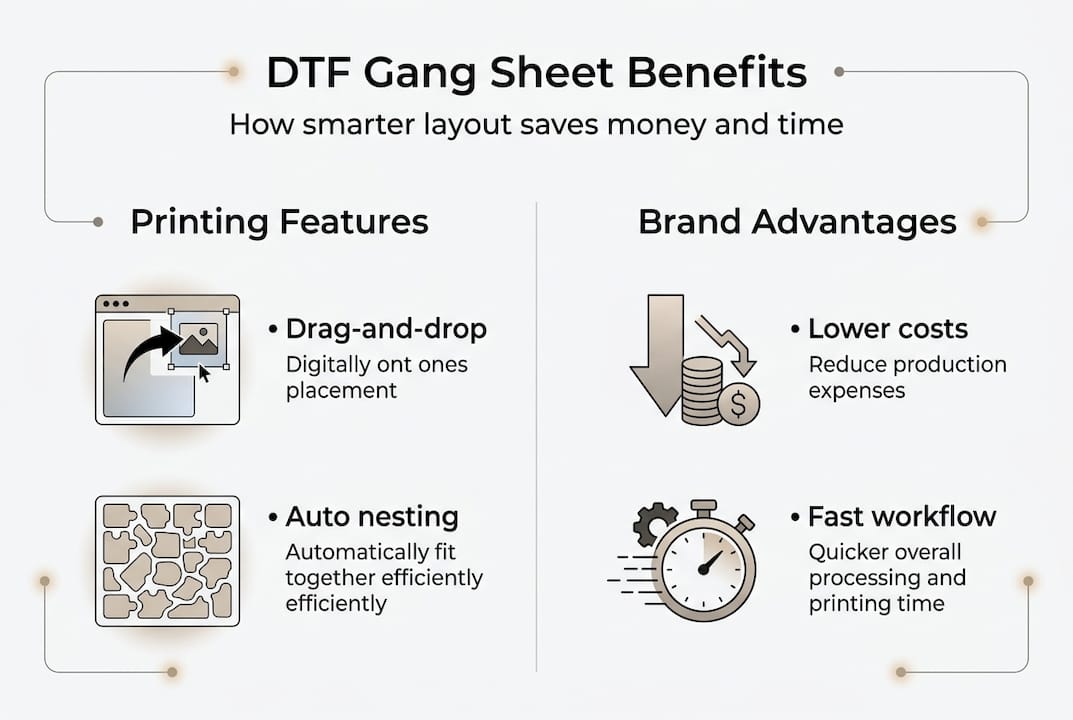
A gang sheet builder arranges multiple designs onto a single print sheet for efficient production, which is the core reason the tool exists. Without it, you’d be wasting large portions of film on blank space.
Here’s what gang sheet builders are commonly used for:
- T-shirt front and back logos printed together in one run
- Artist collaboration drops with multiple graphic variations
- Small batch merchandise with different colorways or sizes
- Reorder-friendly templates saved for repeat customers
- Mixed product runs combining sleeve prints, chest logos, and labels
“A gang sheet isn’t just a layout trick. It’s a production strategy that makes small-batch printing economically viable.”
Pro Tip: If you’re ordering DTF transfers from a print provider, ask if they offer a built-in gang sheet tool. Many do, and using their system can eliminate compatibility issues entirely. You can also explore DTF gang sheet basics to understand how sheet sizing affects your per-unit cost before placing your first order.
How gang sheet builders work
Understanding what a gang sheet builder does is one thing, but how do these tools work in practice? The process is more straightforward than most beginners expect.
Here’s a typical workflow from start to finish:
- Upload your artwork. Most builders accept PNG files with transparent backgrounds. Higher resolution means sharper prints, so 300 DPI is the standard minimum.
- Arrange your designs. Drag and drop each graphic onto the sheet. You can resize, rotate, and duplicate as needed.
- Nest designs efficiently. Nesting means fitting designs close together without overlap to minimize wasted film space.
- Preview the layout. A good builder shows you exactly how the sheet will print, including spacing and bleed areas.
- Export for print. Once you’re satisfied, export the file in the format your printer or provider requires, usually a high-res PDF or PNG.
Gang sheet builders support drag-and-drop layout, resizing, and nesting to maximize space and minimize waste, which is what separates them from simply arranging files in a basic design program.
The visual interface is where most of the value lives. You can see dead space in real time and adjust before a single drop of ink is used. Optimizing printing sheets with a gang sheet builder can significantly cut material costs, especially when you’re ordering in smaller quantities.
Here’s a quick look at how layout strategy affects material usage:
| Layout strategy | Sheet utilization | Estimated waste |
|---|---|---|
| No optimization (manual) | 45-55% | High |
| Basic grid arrangement | 65-75% | Moderate |
| Nested layout with builder | 85-95% | Low |
The difference between a manual layout and a nested builder layout can cut your effective cost per transfer by nearly half. For a small brand ordering regularly, that adds up fast.
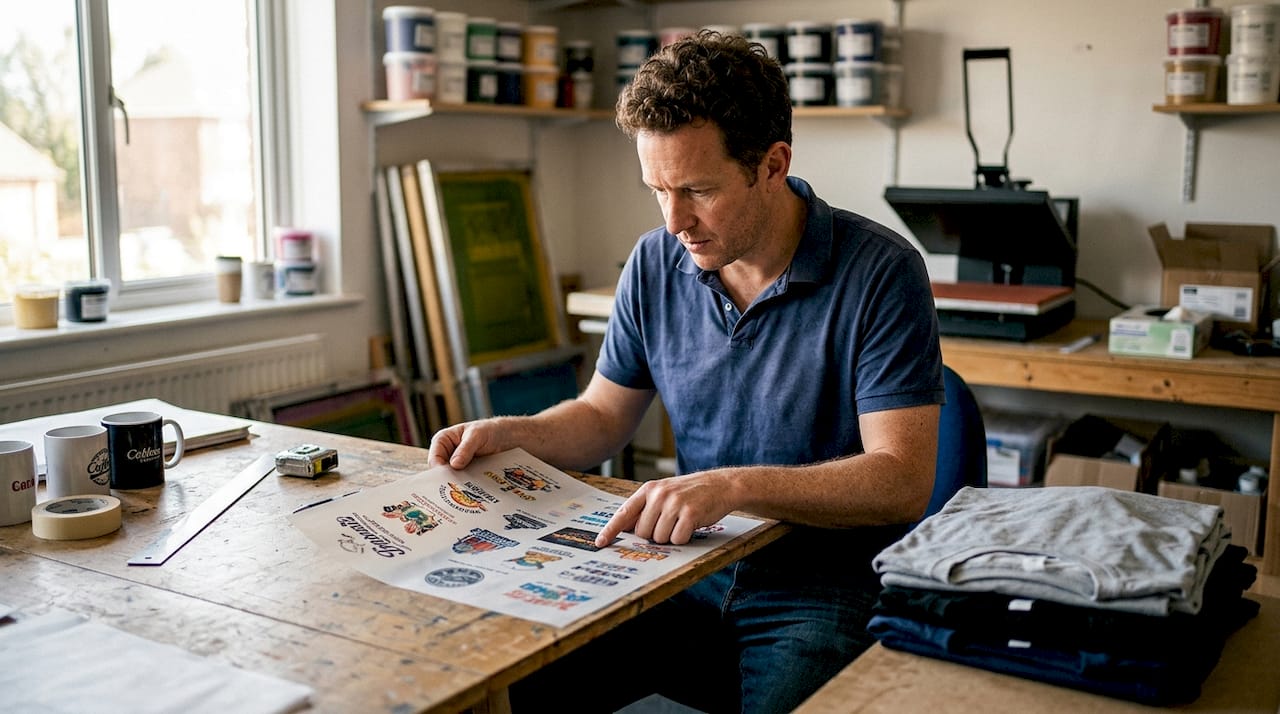
Top gang sheet builders for custom apparel
With a grasp of the workflow, it’s vital to know which specific gang sheet builders can help you achieve the best results. Multiple gang sheet builder tools are optimized for DTF printing, supporting different budget and workflow needs.
Here’s a side-by-side comparison of four popular options:
| Tool | File types | Ease of use | DTF-ready | Price |
|---|---|---|---|---|
| Printavo Gang Sheet | PNG, PDF | Moderate | Yes | Paid |
| Kothari Print Pro | PNG, TIFF, PDF | Advanced | Yes | Paid |
| Transfer Kingz Builder | PNG | Beginner-friendly | Yes | Free with order |
| Canva (manual workaround) | PNG, PDF | Easy | Partial | Free/Paid |
When choosing a tool, keep these factors in mind:
- File format support: PNG with transparency is non-negotiable for DTF. Make sure your builder handles it cleanly.
- Nesting capability: Automatic nesting saves time and removes guesswork for beginners.
- Integration: Some tools connect directly with print providers, cutting out the export-and-upload step.
- Price vs. volume: Free tools work for occasional orders. If you’re printing weekly, a paid tool with templates and batch processing is worth the investment.
For solo artists just starting out, a beginner-friendly builder tied to your print provider is the lowest-friction entry point. You can always upgrade to a more advanced DTF builder tool as your order volume grows.
Pros and cons of using gang sheet builders
Once you’ve reviewed the tool options, it’s important to weigh their strengths and weaknesses for your workflow.
Advantages:
- Significant cost savings per transfer, especially on small batches
- Faster reorders using saved templates
- Less material waste, which also benefits your brand’s sustainability story
- Consistent print quality across multiple designs in one run
- More creative freedom to mix designs without committing to large minimums
Challenges:
- First-time users often underestimate the learning curve
- Some software has limited export options that don’t match every printer’s specs
- Low-resolution artwork becomes a bigger problem when designs are scaled up or down
- Not all free tools support automatic nesting, which limits efficiency
Using a gang sheet builder can dramatically reduce time and save money, but there’s a learning curve that catches a lot of first-timers off guard. The good news is that most platforms have video tutorials, and the basics click quickly once you’ve built your first sheet.
If you’re curious about how apparel brands approach seasonal drops and design planning, a summer t-shirt style guide can give you useful context for planning multiple designs in one gang sheet run.
Pro Tip: Start with a free tool or a trial version before committing to a paid subscription. Build two or three sheets manually before relying on automation. That hands-on practice will help you spot layout errors faster than any tutorial.
Practical tips for getting started
You know the pros and cons. Now here’s how to practically get started with gang sheet builders in your own business.
Before you even open the software, check these file preparation basics:
- Resolution: All artwork should be at least 300 DPI. Anything lower will look soft or pixelated after transfer.
- Transparent background: Save your files as PNG with no white or colored background behind the design.
- Color calibration: Use RGB for digital proofing, but confirm with your provider whether they print from RGB or CMYK files.
- Artwork boundaries: Leave a small buffer around each design to prevent cropping during transfer application.
Here’s a step-by-step process for building your first gang sheet:
- Gather all artwork files and confirm they meet the resolution and format requirements.
- Open your chosen gang sheet builder and set the sheet size to match your provider’s specs.
- Upload each design and place them on the sheet without overlapping.
- Use the nesting or auto-arrange feature if available to tighten the layout.
- Preview the full sheet and check for spacing issues, missing bleed, or clipped edges.
- Export in the required format and send to your print provider.
Building DTF gang sheets involves uploading artwork, arranging appropriately, and double-checking print settings before exporting. Skipping the preview step is the number one cause of misprints for new users.
If you’re working with specialty applications, custom UV DTF gang sheets require optimal file preparation and layout for flawless results, especially when printing on non-fabric surfaces like cups or phone cases.
Pro Tip: Save your most-used sheet layouts as templates. If you reorder the same designs regularly, a saved template cuts your prep time to almost nothing on repeat orders.
Our experience: Why gang sheet builders transform small apparel brands
Here’s something the industry doesn’t say loudly enough: gang sheet builders weren’t designed for big companies. They were designed to solve a problem that small shops and independent artists feel every single day, which is how to print affordably without committing to runs that exceed your actual demand.
We’ve seen artists go from manually arranging files in Photoshop to using a purpose-built builder and immediately cutting their per-transfer cost by 30 to 40 percent. That’s not a marginal improvement. That’s the difference between a product that’s profitable and one that barely breaks even.
The unexpected benefit most people don’t talk about is confidence. When you control your own layout and can see exactly what’s going to print before it prints, you stop second-guessing every order. Fewer misprints mean fewer refunds, less wasted inventory, and faster turnaround times for your customers.
Small brands that adopt a streamlined DTF workflow early tend to scale more smoothly because they’ve built good production habits before volume becomes a pressure. The tool isn’t just about saving money. It’s about building a business that runs without constant firefighting.
Ready to simplify your custom DTF printing?
If you’ve been managing custom orders manually or sending artwork to a printer without optimizing your layout, there’s a faster and more affordable way to work.

Transfer Kingz offers high-quality DTF transfers in Dallas and across DTF transfers Texas with no minimum order requirements, so you can test designs without overcommitting. Whether you’re a solo artist launching your first merch drop or a growing shop looking to tighten production costs, our gang sheet builder and print services are built for your workflow. Explore how DTF shirt transfers are reshaping custom apparel, and get in touch to start your first order today.
Frequently asked questions
Do I need special software to create a gang sheet for DTF printing?
Most DTF print services provide their own gang sheet builders, but you can also use standalone software or online platforms for more control. Multiple gang sheet tools cater specifically to DTF printing requirements.
Can gang sheet builders help reduce printing costs for small batches?
Yes, gang sheet builders organize multiple designs onto a single sheet, minimizing material waste and cutting print costs even for small orders. Gang sheet layout optimization cuts overhead by making full use of each print sheet.
What’s the most common mistake when using gang sheet builders?
A frequent mistake is misplacing or overlapping designs, which can cause misprints. Always preview the sheet before exporting. Careful artwork arrangement and print previewing are crucial steps that beginners often skip.
Can I use a gang sheet builder if I’m new to DTF printing?
Absolutely. Most gang sheet builders are designed with user-friendly interfaces and tutorials to help beginners get started quickly. Many platforms offer intuitive visual layouts and guides specifically for newcomers.
Recommended
- What is a Gang Sheet in DTF? Meaning, Benefits & How to Create One – Transfer Kingz
- Optimize your apparel production with gang sheets in 2026 – Transfer Kingz
- What is a gang sheet? Save costs & boost apparel printing – Transfer Kingz
- Transform Your Prints with Custom UV DTF Gang Sheets – Transfer Kingz
0 comments