

TL;DR:
- Effective custom printing requires integrating preflight software to prevent costly errors before production begins.
- Hardware like LED exposure units, washout booths, and accurate color measurement tools ensure consistent output and protect your brand standards.
Must-have printing tools are the specialized software and hardware that determine whether a custom print job ships on time or ends up in the scrap bin. For entrepreneurs and creatives running custom printing operations, the difference between a profitable shop and a costly one often comes down to which tools sit in your workflow. This article covers the critical equipment and software across prepress, screen printing hardware, and color quality control, including named tools like Markzware FlightCheck, PDF Press, the Trapper Photoshop plugin, and Nix Sensor, so you can build a production setup that actually scales.
1. Must-have printing tools: prepress software that prevents costly errors
Prepress software is the first line of defense against reprints, and skipping it is one of the most expensive habits in custom printing. These tools check your files before a single plate is made or a single transfer is printed, catching problems that would otherwise surface only after production has started.
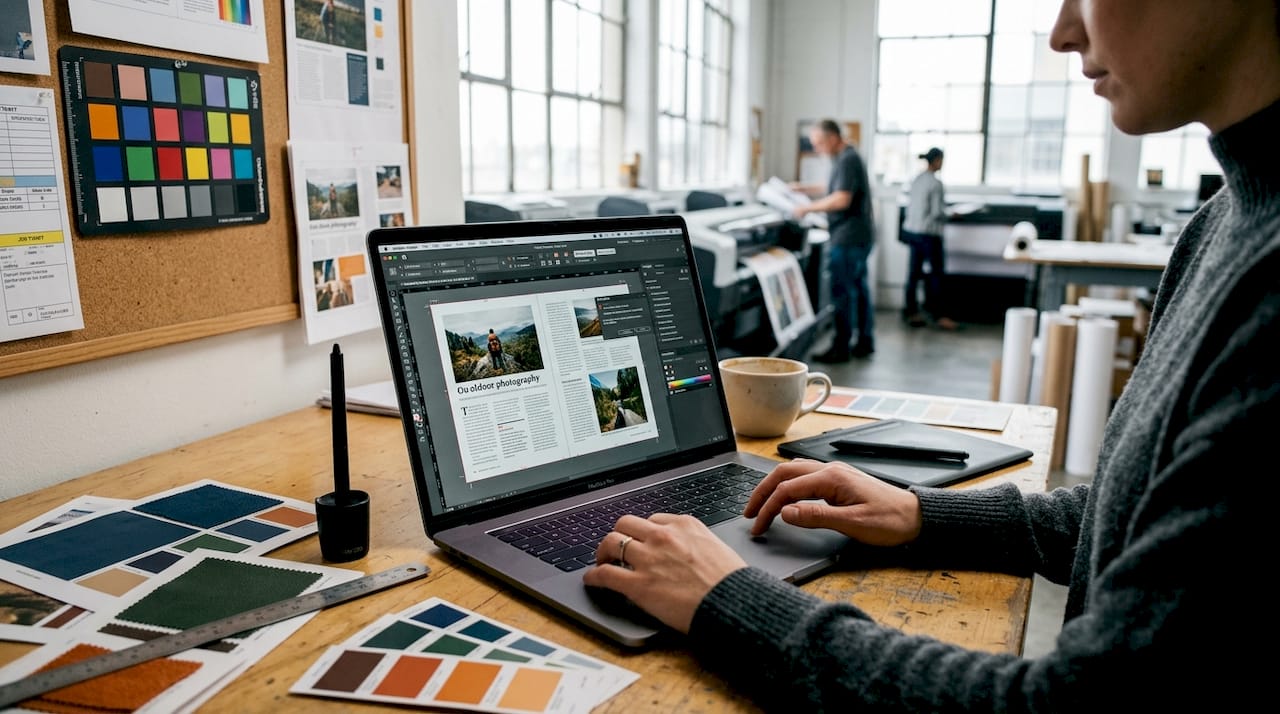
Preflight tools are the most direct category. Xodo PDF Studio preflight software identifies missing fonts, incorrect colors, and image resolution problems before you export or print a PDF, grouping issues by category so corrections are fast and targeted. Markzware FlightCheck goes further as a stand-alone application: it inspects colors, fonts, and images across both PDFs and desktop publishing files, then generates customized preflight reports that tell you exactly what needs fixing. Both tools shorten the feedback loop between design and production significantly.
Imposition and layout tools handle the next stage. PDF Press verifies page order, bleed, and folding layout before printing plates are made, supporting 4, 8, 16, and 32-page signatures with real-time previews that include registration marks and color bars. That real-time preview alone eliminates the guesswork that causes misbound booklets and misprinted sheets.
Trapping automation rounds out the prepress toolkit. The Trapper Photoshop plugin automates spot color separation and smart trapping to close registration gaps that appear between color layers during printing. It creates trapped layers automatically with configurable trap sizes, including a 4-point setting optimized for screen printing. One technical requirement worth knowing: Trapper requires RGB input mode and a maximum of 10 colors to function correctly, so file preparation discipline matters before you run it.
Pro Tip: Run preflight before sending files to any vendor, including DTF transfer suppliers. Catching a missing font or incorrect color profile at your desk costs nothing. Catching it after production costs you a reprint and a customer relationship.
Check the digital printing best practices guide from Transferkingz for a deeper look at file readiness standards that apply across printing methods.
2. Essential screen printing hardware for production efficiency
Screen printing hardware is where physical quality gets made or lost. The right equipment does not just make the process faster. It makes the output consistent enough to sell at a premium.
A washout booth is the most efficient tool for cleaning and reclaiming screens. A dedicated washout booth prevents drain clogs and improves workflow compared to utility sinks or outdoor rinsing, with built-in drainage and proper lighting that makes screen inspection practical. Improvised cleaning setups create environmental hazards and slow down reclamation time, which compounds across every job in a busy shop.
Exposure units determine stencil quality. LED exposure units offer longer lifespan, better energy efficiency, and sharper stencil detail compared to traditional bulb-based units. Sharper stencils mean finer detail in your prints, which directly affects what price point you can charge.
Flash dryers and heat presses handle ink curing. Flash dryers provide partial ink drying between color layers in multi-color jobs, while heat presses offer precise temperature control and versatility for final curing and transfer application. The heat press role in production extends beyond screen printing: it is the same tool you use to apply DTF transfers, making it one of the highest-utility pieces of equipment in any custom print shop.
Additional supplies that matter:
- Scoop coaters for even emulsion application across the screen mesh
- Squeegees in multiple durometers (hardness ratings) for different ink viscosities and mesh counts
- Screen tape to block out frame edges and prevent ink bleed during printing
- Eco-friendly emulsion removers that comply with local drain disposal regulations
Pro Tip: Buy squeegees in at least two durometers from the start. A 70-durometer blade works for most plastisol inks on standard mesh, but a harder 80-durometer blade gives you cleaner edges on fine-detail work. Trying to do both jobs with one squeegee costs you print quality on one end or the other.
3. Color quality control tools that protect your brand standards
Color accuracy is not a finishing touch. It is the metric your clients use to decide whether to reorder. A print that looks slightly different from the approved proof is a conversation you do not want to have.
Densitometers and spectrophotometers are the standard instruments for measuring print color. The Nix Sensor, for example, measures CMYK and Pantone colors with Delta E pass/fail tolerances to verify ink quality directly on printed output. Setup takes under 10 minutes, and it supports color modes M0, M1, and M2, which means it can detect optical brighteners in substrates that would otherwise throw off your color readings. That last capability matters when you are printing on bright white garments or coated stocks that contain fluorescent whitening agents.
Delta E is the numerical measure of color difference between a target and an actual print. A Delta E below 2 is generally considered acceptable in commercial printing. A Delta E above 3 is visible to the human eye and typically triggers a reprint request. Having a device that gives you that number before the job ships means you catch the problem, not your client.
Color QC tools also reduce the cost of color matching across production runs. When a client orders the same design six months later, a spectrophotometer reading from the original job gives you a target to match against, rather than relying on visual memory or monitor calibration.
For a deeper look at managing color fidelity in DTF workflows specifically, the DTF color accuracy guide from Transferkingz covers the practical steps in detail.
4. Comparison of top printing tools by function and use case
Choosing between tools requires knowing what each one actually does in production. The table below compares the key software and hardware options covered in this article.
| Tool | Category | Best for | Key feature |
|---|---|---|---|
| Markzware FlightCheck | Preflight software | Agencies and print shops handling DTP files | Customizable preflight reports with packaging |
| Xodo PDF Studio | Preflight software | PDF-centric workflows and smaller shops | Grouped issue scanning by fonts, colors, images |
| PDF Press | Imposition software | Offset and booklet printing | Real-time signature preview with registration marks |
| Trapper Photoshop plugin | Trapping automation | Screen and offset color registration | Auto-trapped layers with configurable trap sizes |
| Nix Sensor | Color QC hardware | Ink density and Pantone verification | Delta E tolerances with M0/M1/M2 mode support |
| LED exposure unit | Screen printing hardware | Shops prioritizing stencil consistency | Longer lifespan and sharper detail than bulb units |
| Heat press | Curing and transfer hardware | Multi-method shops doing screen print and DTF | Precise temperature control for curing and transfers |
| Washout booth | Screen reclamation hardware | Any screen printing operation | Built-in drainage and lighting for safe reclamation |
The pattern in this table is worth noting. Software tools like FlightCheck and PDF Press address problems that exist before production starts. Hardware tools like LED exposure units and washout booths address problems that occur during production. Color QC tools like Nix Sensor address problems that would otherwise only be discovered after production. A complete workflow needs representation in all three categories.
Key takeaways
A complete custom printing operation requires preflight software, imposition controls, trapping automation, screen printing hardware, and color QC devices working together across every stage of production.
| Point | Details |
|---|---|
| Preflight software is non-negotiable | Tools like FlightCheck and Xodo PDF Studio catch font, color, and resolution errors before production starts. |
| Imposition tools eliminate layout guesswork | PDF Press previews page order, bleed, and signatures in real time to prevent misprints. |
| Hardware quality drives output consistency | LED exposure units and dedicated washout booths produce more consistent results than improvised setups. |
| Color QC protects repeat business | Spectrophotometers like Nix Sensor give you measurable Delta E data to verify every job before it ships. |
| Trapping automation saves registration | The Trapper plugin closes color gaps automatically, reducing registration errors in multi-color screen printing. |
Why I think most print shops underinvest in the wrong half of their toolkit
Most entrepreneurs entering custom printing spend their first serious budget on the press or the heat press, which makes intuitive sense. The press is the machine that makes the product. But in my experience, the tools that actually protect your margins are the ones that sit upstream of production, specifically preflight software and color QC devices.
A single reprint on a large order can erase the profit from three or four successful jobs. Preflight tools like Markzware FlightCheck integrate with automated workflows via scripting and customizable reports, which means they scale with your volume without adding labor. That is a return on investment that a second squeegee cannot match.
The other underrated investment is color measurement. Most shops I have seen rely on visual approval, which works until it does not. A client who approved a proof on a calibrated monitor and receives a garment that reads differently under store lighting will not reorder. A Nix Sensor costs a fraction of what one lost account costs you in lifetime value.
My practical recommendation: buy your press, then immediately allocate budget for preflight software and a spectrophotometer. The hardware gets you into production. The software and measurement tools keep you in business. Entrepreneurs who build an efficient printing workflow from the start spend less time firefighting and more time growing their client base.
— Anthony
How Transferkingz supports your custom printing setup

Transferkingz specializes in high-quality DTF transfers that complement the in-house tools covered in this article. When your preflight software clears a file and your heat press is ready, Transferkingz delivers the transfer that goes between them, printed with premium inks and films that hold up wash after wash. For entrepreneurs in Texas, DTF printing in Dallas is available with fast turnaround and no minimum order requirements, making it practical to test new designs without committing to large production runs. Visit the Print Point hub for additional resources and support tailored to custom print shops at every stage of growth.
FAQ
What is the most important prepress tool for custom printing?
Preflight software is the highest-priority prepress tool because it catches missing fonts, incorrect colors, and resolution problems before production starts. Markzware FlightCheck and Xodo PDF Studio are the two most widely used options for print-ready file validation.
Do I need a spectrophotometer if I already calibrate my monitor?
Yes. Monitor calibration controls how you see color on screen, but a spectrophotometer like Nix Sensor measures color on the actual printed substrate, which is the only reading your client will ever see.
What hardware do I need to start screen printing professionally?
A dedicated washout booth, an LED exposure unit, a flash dryer, and a heat press are the four hardware tools that define a professional screen printing setup. Scoop coaters, squeegees in multiple durometers, and screen tape complete the production toolkit.
How does the Trapper Photoshop plugin work for screen printing?
Trapper automates spot color separation and creates trapped layers with configurable trap sizes, including a 4-point setting for screen printing. It requires RGB input mode and a maximum of 10 colors to function correctly.
Can DTF transfers replace screen printing hardware for small shops?
DTF transfers from a supplier like Transferkingz can replace the need for exposure units and washout booths for shops focused on small runs or complex multicolor designs. Heat presses remain necessary for application, and preflight and color QC tools remain relevant regardless of the printing method.
0 comments