

TL;DR:
- Running a print shop without an effective workflow results in increased costs and delays due to errors and inefficiencies. Implementing automation, tracking key performance indicators weekly, and integrating systems like MIS and prepress software significantly improve productivity and margins. Sustained success depends on disciplined measurement, operator engagement, and continuous process refinement rather than solely relying on technology.
Running a print shop without a solid printing efficiency workflow is like driving with the parking brake on. You move forward, but everything costs more and takes longer than it should. Prepress errors pile up, job scheduling turns into guesswork, and reruns eat into your margins before you even realize the damage. This guide walks through how to build the tools, habits, and metrics that actually fix those problems, with specific steps designed for small to medium print operations that need measurable results without a massive budget overhaul.
Table of Contents
- Key takeaways
- Building a solid printing efficiency workflow foundation
- Step-by-step strategies for workflow optimization
- Common mistakes that kill workflow improvements
- Measuring results and refining your process
- What I have learned from watching shops succeed and fail at this
- How Transferkingz supports your print workflow
- FAQ
Key takeaways
| Point | Details |
|---|---|
| Measure before you change | Establish baseline KPIs like makeready time and reprint rate before making any process adjustments. |
| Automate prepress first | Preflight and imposition automation delivers the fastest ROI and reduces daily operator hours by 2 to 4 hours. |
| Start small with automation | Targeting 50% of repetitive tasks before full rollout builds team confidence and delivers quicker measurable gains. |
| Track KPIs weekly | Weekly tracking of First Pass Yield, makeready time, and downtime compounds into significant monthly throughput improvements. |
| Avoid workflow silos | Integrating press, prepress, and finishing under unified job tickets eliminates the most common source of missed deadlines. |
Building a solid printing efficiency workflow foundation
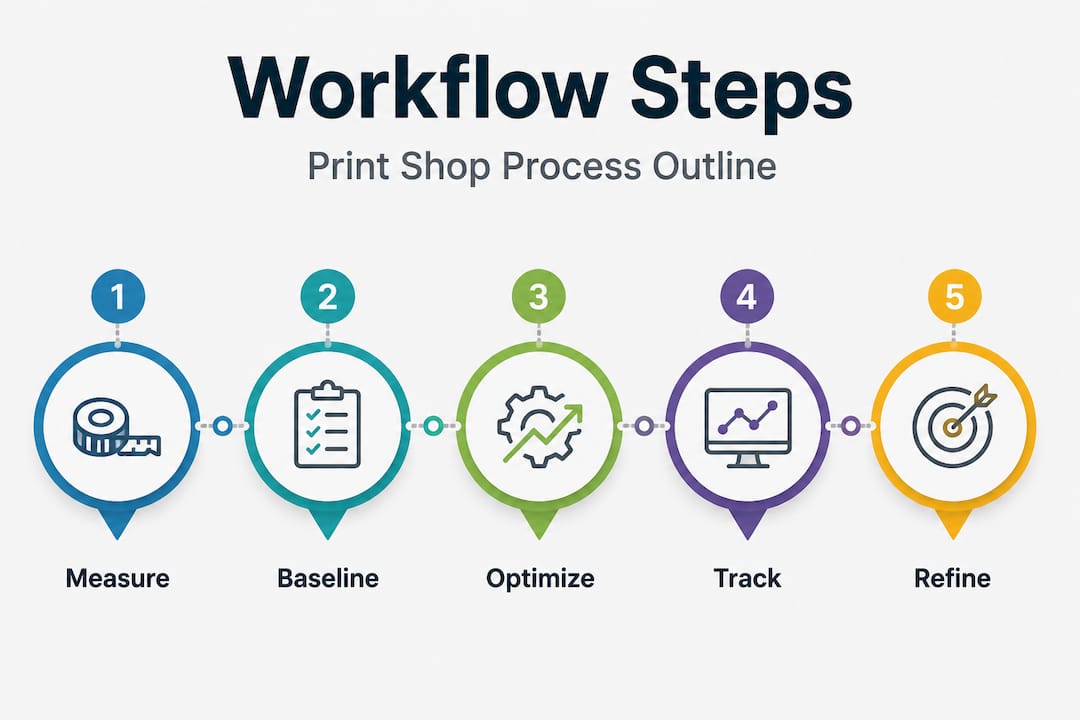
Before you change anything in your shop, you need a clear picture of what is actually happening on the floor. That means getting the right tools in place and measuring your current performance honestly.
The tools your shop needs
Three categories of software do the heavy lifting in modern print operations. First, a Management Information System, or MIS, ties together estimating, job tracking, and invoicing in one place so nothing slips through the cracks. Second, prepress software handles file preparation, preflight checks, and imposition automatically instead of manually. Third, automation platforms connect these systems together so data flows without someone re-entering it at every step.
The table below shows how each tool category fits into the bigger picture:
| Tool category | Primary function | Key benefit |
|---|---|---|
| MIS (Management Information System) | Job tracking, estimating, billing | Eliminates manual data entry and scheduling guesswork |
| Prepress automation software | Preflight, color management, imposition | Catches file errors before they hit the press |
| Workflow automation platform | System integration, routing, alerts | Reduces touchpoints between departments |
| SPC dashboard | KPI tracking, performance visualization | Identifies trends before they become costly problems |
Managed print services, when applied to device management and supply replenishment, help organizations cut printing costs by double-digit percentages through consolidation and smarter resource use. That same principle applies whether you run six presses or one wide-format machine.
Setting your performance baseline
The single biggest mistake most shop managers make is skipping the measurement step. As one operations expert put it, not measuring the right KPIs causes shops to miss their best opportunities for continuous improvement. Before touching any process, document your current makeready time per job, your reprint rate by press operator, and your scheduling backlog by day of week.
Pro Tip: Post your baseline numbers visibly in the pressroom. Operators who can see the current reprint rate are far more motivated to help reduce it than those who never see the data at all.
True efficiency starts with the document workflow, meaning routing, archiving, and file management, not just the device itself. If you skip this step, you will optimize your press while your prepress queue is still the real bottleneck.
Step-by-step strategies for workflow optimization
Once your baseline is set, you can start making targeted improvements. The goal is to reduce manual touchpoints, cut errors, and free your operators for higher-value tasks.
-
Automate your preflight process. Preflight automation catches 99% of PDF issues at upload, which turns prepress from a cost center into a productivity engine. When files arrive clean, the entire downstream process accelerates.
-
Implement automated imposition. Manual imposition is one of the most time-consuming prepress tasks. Automating prepress tasks, including imposition for multi-design orders, reduces production time by roughly 40% and saves 2 to 4 operator-hours per day. At an average labor cost of $40 to $60 per hour, that translates to $30,000 to $60,000 in annual savings.
-
Standardize your job ticketing. Every job should carry a digital job ticket with metadata that travels through prepress, press, and finishing without anyone retyping information. Designing finishing to happen early, with job tickets carrying metadata electronically, avoids the manual intervention that creates bottlenecks and errors at the end of production runs.
-
Schedule with material pre-staging in mind. Plan your press queue so that substrates, inks, and mounting materials are staged before a job is called to press. Disciplined scheduling with pre-staging a streamlined workflow can reduce setup and changeover time. and improves First Pass Yield by 8 to 12 percentage points.
-
Unify your digital and traditional press workflows. Print shops that integrate digital and wide-format operations under unified job tickets and scheduling eliminate the mismatched expectations and missed deadlines that come from treating each press as its own island.
Pro Tip: Do not try to automate everything at once. A successful automation rollout typically takes 4 to 6 months, starting with 50% of the most repetitive tasks. That pacing builds team buy-in and keeps your shop running while changes are being made.
If you are working with DTF printing as part of your mix, reviewing a DTF transfer workflow tutorial can give you specific process steps for apparel production that fit directly into the broader workflow structure above.
Common mistakes that kill workflow improvements
Knowing the right steps gets you halfway there. The other half is avoiding the mistakes that quietly undermine the progress you are making.
-
Treating automation as a cure-all. Software does not fix a broken process. If your job intake is chaotic or your operators lack training, automation accelerates the chaos. Fix the process first, then automate it.
-
Skipping operator engagement. Workflow changes imposed from the top without input from press operators almost always face resistance. Involve your team early, explain why changes are happening, and ask for their observations on where things break down.
-
Ignoring environmental factors. Consistent humidity is not a minor detail. Environmental controls like tight HVAC management minimize color drift (ΔE) and web tension issues that can ruin a run. A color problem traced back to humidity is easy to fix once you know it is the cause.
-
Letting finishing become a bottleneck. Finishing is often the primary source of missed deadlines. Scheduling finishing equipment test runs early in the job lifecycle, along with adopting JDF or XJDF job format standards, keeps press output from stacking up at the end of the line.
-
Running press and prepress as separate silos. When prepress and press do not share real-time scheduling data, jobs get queued incorrectly and changeovers take longer. A shared dashboard visible to both departments resolves most of this friction without requiring new software.
-
Not reviewing bulk production strategy. Many shops leave significant efficiency on the table by running small jobs individually. Understanding the advantages of bulk printing for similar substrate orders can dramatically reduce press setup repetition and improve your cost per unit.
Measuring results and refining your process
Getting your workflow improvements running is not the finish line. The real work is tracking what changed and using that data to keep improving.

Your three core metrics to watch every week are First Pass Yield, makeready time, and scheduled downtime. FPY tells you the percentage of jobs completed without a reprint or correction. Makeready time tells you how fast your operators can switch from one job to the next. Downtime tells you how often equipment or process failures are pulling production to a stop. Tracking these KPIs weekly delivers consistent monthly gains of 1 to 3%, which compounds into real throughput improvement over a quarter.
The table below shows what before-and-after metrics typically look like in shops that execute this approach well:
| Metric | Before optimization | After optimization |
|---|---|---|
| Makeready time per job | 22 to 28 minutes | 12 to 16 minutes |
| First Pass Yield | 78 to 82% | 88 to 93% |
| Daily prepress operator hours | 6 to 8 hours | 3 to 4 hours |
| Reprint rate | 8 to 12% | 3 to 5% |
| Scheduling backlog (days) | 3 to 4 days | 1 to 1.5 days |
Statistical process control, or SPC, does not need to be complicated for a small shop. A basic spreadsheet updated daily by a lead operator, fed into a visible chart on the pressroom wall, is enough to spot trends early. The key is consistency. Daily data entered inconsistently is worse than no data at all because it produces misleading signals.
Pro Tip: Keep a visible performance chart in your pressroom updated weekly. Teams that can see progress toward a KPI target stay more engaged than those who receive monthly reports. Visibility changes behavior faster than any policy memo.
Production speed matters too. Reading up on DTF production speed techniques is worthwhile if your shop handles apparel decoration alongside traditional print, since throughput optimization principles carry across both workflows.
What I have learned from watching shops succeed and fail at this
I have seen shops spend tens of thousands of dollars on workflow software and still run a slower, messier operation three years later. And I have seen shops with modest tools run circles around them because of one thing: disciplined execution. Technology is only as good as the people using it and the habits built around it.
The pattern I see most often in shops that struggle is this. They automate a task, see a short-term improvement, and then stop measuring. Within six months the gains erode because no one is watching the KPIs closely enough to catch the drift. Improving printing processes is not a project with an end date. It is a practice.
What actually drives sustained printing production efficiency is not the software purchase. It is the weekly review meeting where someone has to explain why makeready time went up last Tuesday. That accountability, combined with visible data, is what separates shops with consistent margins from those chasing fires every week.
My honest advice: start with preflight automation and a weekly KPI review. Those two changes alone, executed consistently, will deliver more return than most shops get from a full MIS implementation done poorly. Once you have those habits in place, every additional tool you add amplifies an already-working system.
— Anthony
How Transferkingz supports your print workflow

If your shop handles custom apparel or merchandise alongside traditional print jobs, your workflow tools need to match the production format. Transferkingz makes that part easier. With high-quality DTF transfers, gang sheet building, and no minimum order requirements, you can fit custom apparel production directly into your existing scheduling without disrupting your core workflow.
For shops in Texas, custom DTF printing services through Transferkingz offer fast turnaround and consistent quality that fits into tight production windows. Whether you need small runs for local clients or bulk orders for retail accounts, the Print Point service hub gives you a centralized starting point to manage your apparel decoration orders alongside your main print operation.
FAQ
What is the first step to improve print workflow efficiency?
Establish a performance baseline by measuring your current makeready time, reprint rate, and scheduling backlog before changing any process. You cannot identify what to fix without knowing where you are starting from.
How much can prepress automation save a small print shop?
Automating prepress tasks like preflight and imposition saves 2 to 4 operator-hours per day, equating to roughly $30,000 to $60,000 in annual labor savings based on average press operator wages.
How long does it take to see results from workflow automation?
A phased rollout targeting 50% of the most repetitive tasks first typically delivers measurable results within 4 to 6 months, with team buy-in improving as early wins become visible.
What KPIs should print shop managers track weekly?
Focus on First Pass Yield, makeready time per job, and scheduled versus unscheduled downtime. Tracking these three metrics weekly creates the data needed for consistent monthly improvement.
Why do finishing operations cause so many missed deadlines?
Finishing is frequently the last step in production but often planned last, creating a bottleneck when press output arrives faster than finishing equipment can process it. Scheduling test runs early and using digital job tickets with JDF metadata reduces this problem significantly.
Recommended
- DTF Print Workflow Guide for Custom Apparel Success – Transfer Kingz
- Print-on-demand guide for entrepreneurs and small brands – Transfer Kingz
- Garment printing checklist: Essential steps for quality apparel – Transfer Kingz
- 7 Essential DTF Printing Cost-Saving Tips for Apparel Brands – Transfer Kingz
0 comments