

TL;DR:
- Implementing a structured print workflow checklist reduces errors, shortens turnaround times, and enhances print quality across all production stages. Automating file intake and tailoring preflight profiles deliver significant efficiency gains, while tracking KPIs identifies process bottlenecks and drives continuous improvement. Adopting a two-lane workflow model separates standard and complex jobs, ensuring consistent quality and operational flexibility.
A printing workflow optimization checklist is a systematic set of production steps designed to reduce errors, cut turnaround times, and improve output quality across every stage of print production. The industry term for this practice is print production workflow management, and it covers everything from file intake to final delivery. Tools like Enfocus PitStop and Callas pdfToolbox now catch 80–90% of file issues automatically, while KPIs such as reprint rate and machine utilization give shop owners the data they need to make targeted improvements. If you run a print shop or manage print production at scale, this checklist is your process improvement guide.
1. Automate file intake with hot folders and API portals
File intake is where most print production delays begin, and it is the highest-leverage point to fix first. Automating file receipt using hot folders or API-connected customer portals eliminates the back-and-forth communication that stalls jobs before they even reach preflight. When a customer uploads a file through a properly configured portal, the system immediately routes it to the correct job queue, flags missing specs, and triggers the next step without human intervention.
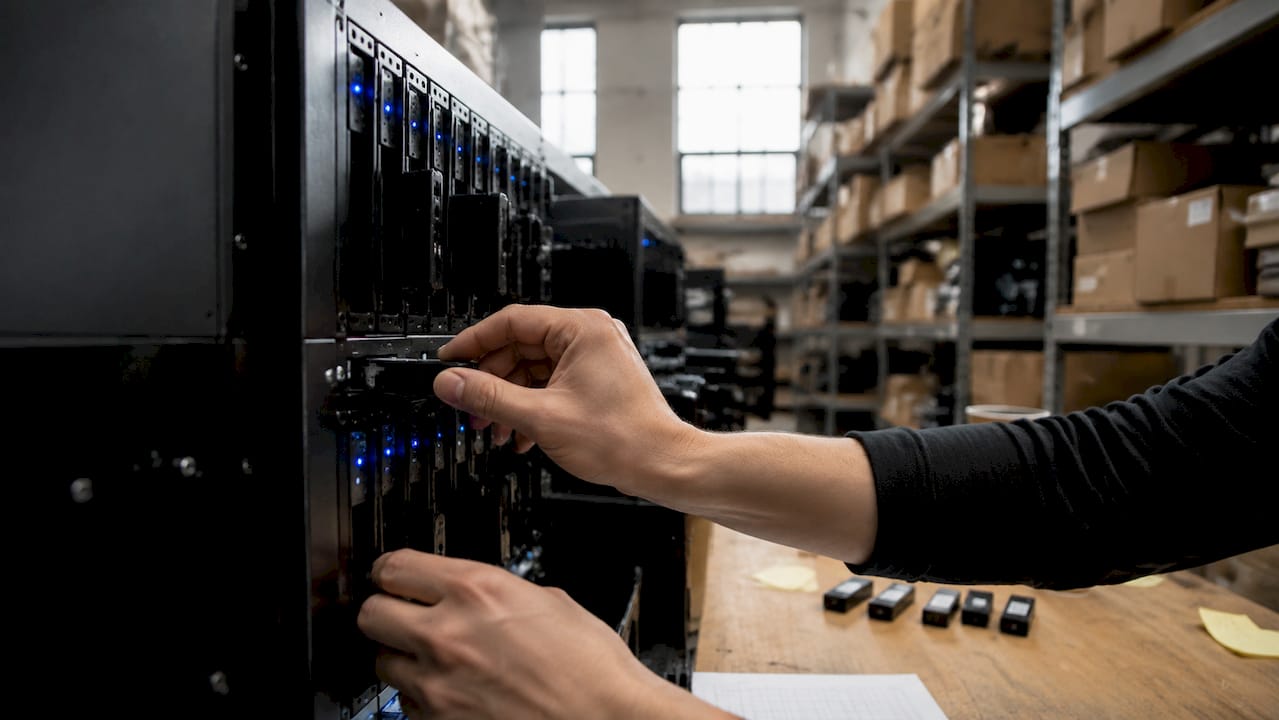
Most print shops underestimate how much time is lost to incorrect or incomplete file submissions. A hot folder setup assigns each product type its own intake directory, so a business card file never lands in the wide-format queue. API-connected portals go further by validating file parameters at the point of upload, which means operators receive only files that meet baseline specifications.
Pro Tip: Set up separate hot folders for each substrate or press type. A file destined for a UV flatbed should never share an intake queue with a garment DTF job. Separation at intake prevents misrouting errors downstream.
2. Build custom preflight profiles for every press and substrate
Automated preflight is the single highest-ROI task in any print process improvement guide, but only when profiles are tailored to specific equipment and materials. Generic preflight profiles miss press-specific tolerances. A profile built for a 300 dpi wide-format roll printer will pass files that would fail on a 1200 dpi sheetfed offset press.
Tools like Enfocus PitStop, Callas pdfToolbox, and Markzware FlightCheck each support custom profile creation. These profiles check resolution, color space, bleed dimensions, font embedding, transparency flattening, and ink density limits in seconds. Automated preflight reduces manual file inspection from 10 to 30 minutes down to seconds per job. That time saving compounds across hundreds of jobs per week.
Beyond detection, automated correction rules add real value. A well-configured profile converts RGB images to CMYK, adds missing bleed, and embeds missing fonts without operator input. The result is a cleaner file queue and fewer jobs returned to customers for revision.
3. Optimize imposition with automation for standard layouts
Manual imposition for standard jobs consumes 15 to 30 minutes of prepress operator time per job. Automated imposition software cuts that to under two minutes for booklets, n-up business cards, and gang sheet layouts. For a shop running 50 standard jobs per day, that difference represents hours of recovered capacity every shift.
The throughput gains extend beyond time savings. Manual imposition introduces transposition errors, incorrect bleed margins, and misaligned crop marks. Automated tools apply the same logic every time, which reduces press makeready adjustments and waste sheets. Operators who previously spent their mornings on imposition can redirect that attention to complex custom jobs that genuinely require human judgment.
- Booklet imposition: automated tools handle saddle-stitch and perfect-bound signatures without manual page sequencing
- N-up layouts: gang sheet builders calculate optimal nesting to minimize substrate waste
- Mixed-size jobs: advanced tools like Quite Imposing Plus and Preps handle variable page sizes within a single press sheet
Pro Tip: Reserve manual imposition for jobs with non-standard bleeds, custom folds, or unusual binding requirements. Build two lanes: one automated for repeatable standard jobs, one manual for craft work. Mixing them in a single queue creates bottlenecks.
4. Run a systematic quality control checklist before press
Quality control in print production is not a single step. It is a sequence of checks that must happen in a defined order before any job reaches the press. The checklist for print production QC stage should cover these items in sequence:
- Resolution: confirm all images are at or above the required DPI for the output device
- Color space: verify CMYK conversion is complete and spot colors are correctly defined
- Bleed and safe zone: check that bleed extends the required distance and critical content sits inside the safe zone
- Transparency and overprints: flatten transparency and verify overprint settings to prevent unexpected color shifts
- Crop marks and registration marks: confirm marks are present, correctly positioned, and outside the bleed area
- Trapping: verify trapping settings match press tolerances to prevent misregistration gaps
Soft proofing on a calibrated monitor catches color issues before committing to a hard proof. Hard proofing on the actual substrate catches issues that monitor calibration cannot simulate, particularly on textured or coated stocks. Document every customer approval in writing, whether by email confirmation or a digital sign-off system, before sending a job to press.
Pro Tip: Pull the first press sheet and compare it directly against the approved proof under a D50 light source. Color temperature differences between office lighting and D50 are responsible for a significant share of color complaints that reach the finishing stage.
5. Track KPIs that reveal where your workflow breaks down
Data-driven workflows are the difference between shops that grow and shops that plateau. Monitoring KPIs like reprint percentage, order-to-production cycle time, and machine utilization exposes exactly where time and money are leaking from your operation. A 1% reduction in reprint rate yields measurable cost savings across ink, substrate, and labor, and that number compounds monthly.
The core KPIs every print shop should track are:
| KPI | What it measures | Why it matters |
|---|---|---|
| Reprint rate | Percentage of jobs reprinted due to errors | Direct indicator of preflight and QC effectiveness |
| Order-to-press cycle time | Time from job receipt to press start | Reveals intake and prepress bottlenecks |
| Machine utilization | Percentage of press uptime vs. available hours | Identifies scheduling gaps and downtime causes |
| Job rejection rate | Files returned to customers for correction | Measures quality of intake specifications |
Management Information Systems like Printavo, Shopvox, and EFI Pace integrate job tracking, scheduling, and cost accounting into a single platform. When your MIS feeds data into a dashboard, you stop guessing about where the slowdowns are and start making decisions based on production reality.
“Tracking metrics such as order-to-production cycle time, reprints, and machine utilization enables targeted improvements that reduce waste and increase profitability.” — Web-to-PrintQ
6. Write SOPs that cover every stage, not just prepress
Standard Operating Procedures are the operational backbone of any print shop that wants consistent output regardless of which operator runs a shift. Most shops write SOPs for file prep and preflight, then stop. The shops with the lowest error rates extend SOPs through press setup, color management, finishing, packaging, and shipping.
An SOP for press setup should specify ink density targets, substrate handling procedures, and makeready sign-off requirements. An SOP for finishing should define trim tolerances, fold specifications, and quality inspection points before jobs move to packaging. When every stage has a documented procedure, new operators reach competency faster and experienced operators make fewer judgment-call errors under deadline pressure.
SOPs also create the foundation for continuous improvement. When a recurring error appears, you trace it back to the relevant SOP, identify the gap, and update the document. Without SOPs, the same errors repeat because there is no reference point to correct against. The workflow efficiency in printing gains from documented procedures are not theoretical. They show up in your reprint rate and your cycle time within weeks of implementation.
7. Design for finishing from the start to prevent bottlenecks
Finishing is the most common choke point in print production, and it is almost always caused by decisions made at the design or intake stage. Standardizing stock sizes to match bindery capabilities and cutter capacities eliminates the last-minute problem-solving that delays delivery and increases labor costs.
When a designer specifies a non-standard trim size, the bindery operator either makes a custom setup or returns the job for redesign. Both outcomes cost time. Building a library of approved stock sizes and communicating those constraints to customers at the order stage prevents the problem entirely. Flexible packaging operations like those described by EnvyPak demonstrate how early standardization in packaging print workflows directly reduces finishing delays.
The same logic applies to fold types, binding methods, and lamination specifications. A job that arrives at the laminator with incorrect bleed for the laminate trim will either be rejected or require manual correction. Neither outcome is acceptable in a high-volume shop running tight turnaround commitments.
8. Prepare for intelligent automation and the two-lane workflow model
Intelligent workflow automation using AI, machine learning, and IoT sensors is moving from a competitive advantage to a baseline expectation in production print. Predictive quality control systems analyze press output in real time and flag color drift before it becomes a reprint event. Dynamic scheduling tools reorder the job queue based on press availability, substrate changes, and delivery deadlines without operator input.
The strategic framework that makes automation work at scale is the two-lane highway model. Standard, repeatable jobs move through an automated lane with minimal human touchpoints. Custom, craft, or complex jobs move through a high-touch lane where skilled operators apply judgment at each stage. Mixing these two job types in a single queue is the most common cause of workflow chaos in mid-size print shops.
- Automated lane: business cards, flyers, standard apparel transfers, repeat orders
- High-touch lane: custom packaging, specialty substrates, variable data printing, large-format art reproductions
- Shared infrastructure: MIS scheduling, preflight, and delivery logistics apply to both lanes
Pro Tip: Review your job mix quarterly. Jobs that started in the high-touch lane often become candidates for automation once you have run them enough times to build a reliable SOP and press profile.
Key takeaways
A printing workflow optimization checklist works only when automation, SOPs, and KPI monitoring operate together across every production stage, not in isolation.
| Point | Details |
|---|---|
| Automate file intake first | Hot folders and API portals eliminate the most common source of production delays before preflight begins. |
| Custom preflight profiles deliver the highest ROI | Profiles tailored to specific presses catch 80 to 90% of errors automatically, reducing manual review time from minutes to seconds. |
| Track reprint rate as your primary KPI | A 1% reduction in reprints produces measurable cost savings across ink, substrate, and labor every month. |
| Extend SOPs beyond prepress | Procedures covering finishing, packaging, and shipping reduce errors and accelerate new operator onboarding. |
| Build a two-lane workflow | Separating standard automated jobs from custom high-touch jobs prevents scheduling chaos and protects quality on both tracks. |
Why most print shops optimize the wrong things first
I have watched print shops invest in new presses before fixing their file intake process, and the result is always the same. The new press sits underutilized because the prepress queue is still the bottleneck. The hardware is not the problem. The process upstream of the hardware is the problem.
The shops that see the fastest gains from a workflow optimization effort are the ones that start with file intake and preflight, not equipment. Once files arrive clean and correctly specified, every downstream stage runs faster. Imposition takes less time. QC catches fewer issues. Press makeready is shorter. Finishing runs without surprises.
I also think the two-lane workflow model is underused because shop owners worry it requires two separate teams. It does not. It requires two separate job queues with different approval and routing rules. One scheduler, one prepress operator, and one set of presses can run both lanes effectively if the routing logic is built into the MIS.
The hardest part of any print workflow analysis is convincing a team that has been doing things the same way for years to change their intake and preflight habits. The data always wins that argument eventually. Pull your reprint rate for the last 90 days, calculate the material and labor cost, and present that number to your team. The conversation changes immediately.
— Anthony
How Transferkingz supports your print production goals

Transferkingz specializes in high-quality DTF transfers that fit directly into optimized print production workflows. Whether you run a small custom apparel shop or a high-volume decoration operation, Transferkingz delivers press-ready transfers with fast turnaround and no minimum order requirements. The Print Point service gives production shops a direct channel for custom printing solutions built around efficiency and quality. For shops in the region, DTF transfers in Dallas offer local access to premium transfer printing that integrates with your existing workflow. Explore Transferkingz to see how DTF fits your production checklist.
FAQ
What is a printing workflow optimization checklist?
A printing workflow optimization checklist is a structured set of production steps covering file intake, preflight, imposition, quality control, and finishing that reduces errors and improves throughput. It applies standard operating procedures and automation tools across every stage of print production.
How much time does automated preflight save?
Automated preflight tools like Enfocus PitStop and Callas pdfToolbox reduce manual file inspection from 10 to 30 minutes per job down to seconds, catching 80 to 90% of common file issues automatically.
What KPIs should print shops track for workflow efficiency?
The most important KPIs are reprint rate, order-to-production cycle time, machine utilization, and job rejection rate. Tracking these metrics identifies specific bottlenecks and quantifies the impact of process improvements.
What is the two-lane workflow model in print production?
The two-lane model separates standard repeatable jobs into an automated low-touch lane and routes custom or complex jobs into a high-touch lane with skilled operator oversight. This prevents scheduling conflicts and protects quality across both job types.
How do SOPs improve print production consistency?
Standard Operating Procedures that cover every stage from file receipt through final packaging reduce operator errors, accelerate onboarding, and create a documented baseline for continuous improvement when recurring issues appear.
0 comments