

Many small apparel businesses struggle with high material costs and slow production times in DTF printing. The solution often lies in a simple tool that many overlook or misunderstand: gang sheets. Rather than complicating your workflow, gang sheets streamline production by combining multiple designs onto a single transfer sheet, reducing waste and accelerating output. This article clarifies what gang sheets are, how they cut costs, which software tools make them easy to create, and practical tips to implement them effectively in your clothing business.
Table of Contents
- What Is A Gang Sheet And Why Does It Matter In DTF Printing?
- Comparison Of Gang Sheet Creation Methods And Software Tools
- How Gang Sheets Reduce Costs And Optimize Workflows In Small Clothing Businesses
- Best Practices And Tips For Designing Gang Sheets Effectively
- How Transfer Kingz Supports Your DTF Gang Sheet Needs
- FAQ
Key takeaways
| Point | Details |
|---|---|
| Gang sheets combine multiple designs | They maximize print area usage and reduce material waste in DTF transfer production. |
| Cost savings through efficiency | Gang sheets lower transfer material costs and reduce labor time per design. |
| Software automates layout | Gang sheet software streamlines design arrangement and optimizes print space. |
| Faster workflows | Batch processing with gang sheets speeds up printing, cutting, and pressing stages. |
| Scalability for small businesses | Gang sheets enable small apparel brands to increase output without major equipment investment. |
What is a gang sheet and why does it matter in DTF printing?
A gang sheet is a layout that combines multiple designs onto one transfer sheet for Direct-to-Film printing. Instead of printing each design individually, you arrange several graphics, logos, or patterns on a single sheet to maximize every inch of transfer material. This approach transforms how small clothing businesses manage production by reducing waste and cutting costs.
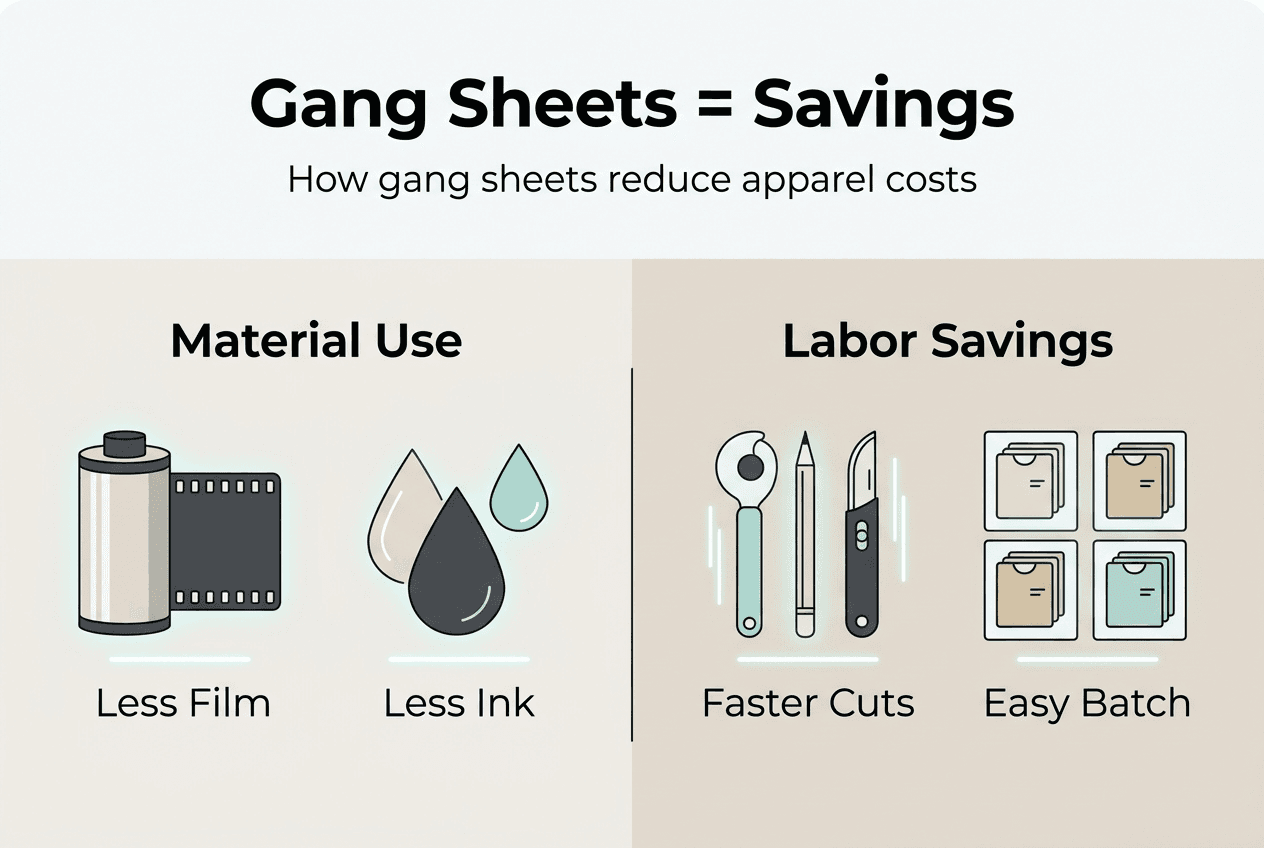
The financial impact is immediate. When you improve efficiency in transfer printing processes, you use less film, less ink, and less time per design. A single gang sheet can hold dozens of small designs or several large ones, depending on your order mix. This flexibility means you can fulfill varied customer orders in one print run rather than setting up separate jobs for each design.
Gang sheets deliver several production advantages beyond cost savings. Print quality stays consistent across all designs because they share the same printing parameters and conditions. You eliminate repetitive setup tasks like loading film, calibrating colors, and adjusting printer settings for each individual design. Inventory management becomes simpler because you can print a variety of designs at once and stock them for future orders.
Key features that make gang sheets valuable include:
- Reduced setup time by batching multiple designs into single print runs
- Inventory flexibility to stock diverse designs without separate production cycles
- Better workflow coordination between design, printing, cutting, and pressing stages
- Lower per-unit costs through efficient material usage
- Faster order fulfillment by processing multiple customer requests simultaneously
Pro Tip: Plan your gang sheets around your typical order patterns. If you regularly get orders for 5 to 10 different designs in similar sizes, create gang sheet templates that accommodate those quantities to minimize leftover space and material waste.
The difference between printing designs individually versus using gang sheets becomes clear in real numbers. A clothing business printing 50 small designs separately might use 50 individual sheets with significant unused space on each. The same 50 designs arranged on gang sheets might fit onto 10 to 15 sheets with minimal waste, cutting material costs by 70% or more. This efficiency compounds over weeks and months, creating substantial savings that small businesses can reinvest in growth.
Comparison of gang sheet creation methods and software tools
Creating gang sheets manually involves arranging designs in graphics software like Adobe Illustrator or Photoshop. You measure available space, position each design, ensure proper spacing for cutting, and export the final layout. This method works for simple projects but becomes time-consuming and error-prone as design counts increase. Manual layouts also risk inefficient space usage because you’re eyeballing optimal arrangements rather than calculating them.

Software-assisted gang sheet creation automates the layout process. Specialized DTF gang sheet software analyzes your designs, calculates the most efficient arrangement, and generates print-ready files in minutes. These tools account for spacing requirements, rotation options, and material dimensions to maximize every sheet. The time savings alone justify the investment for most small apparel businesses.
| Software | Key Features | Pricing Model | Best For | Ease of Use | | — | — | — | — | | Transfer Kingz Builder | Drag and drop interface, automatic nesting, real-time pricing | Free with orders | Small businesses ordering transfers | Very easy | | CADlink | Professional nesting algorithms, color management, RIP integration | Subscription $50-200/month | Production shops with high volume | Moderate | | Fiery XF | Advanced color control, automated workflows, multi-printer support | One-time $2000+ | Large operations with multiple printers | Complex | | InkSoft | Design management, order tracking, basic gang sheet tools | Subscription $100-300/month | Print shops managing client orders | Easy | | CorelDRAW | Manual layout with design tools, no automatic nesting | One-time $500 or subscription | Designers comfortable with manual arrangement | Moderate |
When selecting gang sheet software, consider these essential criteria:
- Compatibility with your existing printers and RIP software
- User interface simplicity and learning curve for your team
- Automatic nesting capabilities to optimize space without manual adjustment
- Technical support availability and quality from the software provider
- Integration with order management systems if you run an online store
Pro Tip: Choose software that integrates seamlessly with your current production workflow. If you already use specific design tools or order management platforms, prioritize gang sheet software that connects with those systems to avoid duplicate data entry and reduce errors.
The right software choice depends on your business scale and technical comfort. Small operations printing 20 to 50 designs weekly might thrive with simple tools like the Transfer Kingz gang sheet builder. Larger production shops handling hundreds of designs daily benefit from professional solutions with advanced nesting algorithms and color management. Many businesses start with free or low-cost options and upgrade as volume grows.
How gang sheets reduce costs and optimize workflows in small clothing businesses
Gang sheets deliver direct financial benefits by cutting material waste and labor costs. Here’s how the savings accumulate in real production scenarios. When you print designs individually, each transfer sheet has unused space around the design. A 10-inch by 10-inch design on a 12-inch by 12-inch sheet wastes 44 square inches of material. Multiply that waste across dozens of designs, and you’re discarding expensive transfer film that could hold additional graphics.
Arranging those same designs on gang sheets eliminates most waste. Software calculates optimal spacing and rotation to fit maximum designs per sheet. Material waste reduction through gang sheets can reach 60% to 80% compared to individual printing, translating directly to lower material costs per finished garment.
Workflow improvements from gang sheets follow this sequence:
- Collect all pending design orders and organize by size and color requirements
- Use gang sheet software to automatically arrange designs on optimal sheet sizes
- Print all designs in a single batch run with consistent settings
- Cut finished transfers using the gang sheet layout as a guide
- Press transfers onto garments following the same batch organization
- Complete multiple customer orders simultaneously rather than sequentially
Labor time drops significantly because you eliminate repetitive setup tasks. Loading film, calibrating colors, and adjusting printer settings once per gang sheet instead of once per design saves hours weekly. A clothing business that previously spent 15 minutes setting up each of 30 individual prints now spends 15 minutes setting up one gang sheet containing all 30 designs.
Gang sheets reduce transfer material costs by 60% to 80% while cutting production time in half for small apparel businesses processing multiple designs.
Scalability becomes achievable for small brands using gang sheets. You can accept more custom orders without buying additional equipment because your existing printer produces more finished designs per hour. A single-printer operation that previously maxed out at 50 designs daily might handle 150 designs using gang sheets, tripling capacity with the same hardware investment. This efficiency lets you grow revenue before needing to expand your equipment footprint.
The financial impact compounds over time. A small clothing business spending $500 monthly on transfer materials might cut that to $200 by switching to gang sheets, saving $3,600 annually. Add labor savings from faster production, and total cost reduction often exceeds $5,000 yearly for even modest operations. Those savings fund inventory expansion, marketing, or equipment upgrades that drive further growth.
Best practices and tips for designing gang sheets effectively
Creating effective gang sheets requires attention to several design considerations that impact print quality and production efficiency. Proper spacing between designs prevents ink bleeding and makes cutting easier. Most DTF printers need at least 0.25 inches between designs, but 0.5 inches provides safer margins for cutting accuracy. Larger designs might require more space depending on your cutting method.
Color management across multiple designs on one sheet presents challenges. Designs with vastly different color profiles might not print optimally with the same printer settings. Group designs with similar color characteristics on the same gang sheet when possible. If you must mix light and dark designs, adjust your RIP software to balance color output across the entire sheet.
Size variation within gang sheets affects cutting and application efficiency. Mixing very small designs with very large ones on the same sheet can complicate the cutting process. Consider creating separate gang sheets for different size categories: one for small designs under 5 inches, another for medium designs 5 to 10 inches, and a third for large designs over 10 inches. This organization streamlines both cutting and inventory management.
Common gang sheet design errors and solutions:
| Error | Impact | Solution |
|---|---|---|
| Insufficient spacing | Designs bleed together or cutting damages edges | Maintain minimum 0.5-inch spacing between all designs |
| Poor color grouping | Inconsistent color output across designs | Group similar color profiles on same sheets |
| Ignoring grain direction | Transfer application issues on certain fabrics | Align all designs in same orientation |
| Overcrowding sheets | Difficult cutting and increased error rates | Leave 1-inch margins on all sheet edges |
| Missing bleed areas | White edges appear on dark garments | Add 0.125-inch bleed to designs with background colors |
Order batching strategy improves gang sheet effectiveness. Rather than creating gang sheets as individual orders arrive, collect orders over a set period like 24 or 48 hours. This batching lets you arrange more designs per sheet and reduce the total number of sheets needed. You’ll print fewer sheets overall while maintaining quick turnaround times.
Design arrangement within gang sheets should consider your cutting workflow. If you hand-cut transfers, position designs to minimize blade direction changes. If you use a cutting plotter, arrange designs to reduce total cutting path length. Streamlined DTF transfer workflows coordinate design arrangement with downstream production steps.
Pro Tip: Always preview your gang sheet layout digitally before printing. Use your software’s preview function to check spacing, identify potential color issues, and verify that all designs fit within printable areas. This 30-second check prevents costly reprints and wasted material.
Coordination between design, printing, and production teams ensures gang sheet success. Your designers need to understand spacing requirements and color limitations. Printing staff should know how to optimize RIP settings for gang sheets. Production workers benefit from clear labeling systems that match gang sheet layouts to specific customer orders. Regular communication between these teams prevents errors and maintains efficiency.
Testing new gang sheet layouts with small batches before full production runs reduces risk. Print a single test sheet, cut the transfers, and press them onto sample garments. This process reveals spacing issues, color problems, or cutting difficulties before you commit to large production runs. The small investment in test materials saves significant costs by catching problems early.
How Transfer Kingz supports your DTF gang sheet needs
Implementing gang sheets effectively requires both knowledge and quality materials. Transfer Kingz provides the high-quality transfers for apparel printing that small clothing businesses need to maximize gang sheet benefits. Our DTF transfers use premium inks and films engineered for vibrant colors and durability, ensuring your gang sheet designs maintain quality across every print.

Our gang sheet builder tool simplifies the layout process, automatically arranging your designs for optimal space usage. You can upload multiple designs, and the system calculates the most efficient arrangement while maintaining proper spacing and orientation. This automation saves hours compared to manual layout work and ensures you’re maximizing every sheet.
Small apparel businesses benefit from our expertise in DTF printing workflows. We understand the challenges of balancing cost, quality, and speed in clothing production. Our customer support team helps you optimize gang sheet designs, troubleshoot printing issues, and scale your operations efficiently. Visit Transfer Kingz to explore how our solutions support your production goals and help you compete effectively in the custom apparel market.
FAQ
What materials work best with gang sheets in DTF transfer printing?
Cotton, polyester, and cotton-polyester blends all work excellently with DTF gang sheets. The transfer adhesive in quality DTF prints bonds effectively to these fabric types regardless of whether designs come from gang sheets or individual prints. Consider your specific fabric’s texture and weight when setting heat press parameters, but the gang sheet format itself doesn’t limit material compatibility.
Can gang sheets be used for multi-color and complex designs?
Yes, gang sheets handle multi-color and complex designs effectively when you arrange them properly in your layout software. Modern DTF printing technology supports unlimited colors and fine details within gang sheet layouts. The key is grouping designs with similar color profiles together and ensuring your RIP software applies consistent color management across the entire sheet. Proper spacing between complex designs prevents colors from bleeding during printing.
How do gang sheets contribute to faster turnaround times?
Gang sheets enable simultaneous printing of multiple designs, dramatically reducing press cycle time compared to individual design printing. Instead of loading film, printing, and unloading 20 separate times for 20 designs, you complete the entire process once for a gang sheet containing all 20. Batch processing extends to cutting and heat pressing stages as well, where you can process multiple transfers in organized sequences rather than handling each design separately. This coordination across production stages can cut total turnaround time by 50% or more for multi-design orders.
Recommended
- Top 7 DTF Gang Sheet Builders Comparison 2026 for Cloth Print Efficien – Transfer Kingz
- 7 Essential DTF Printing Cost-Saving Tips for Apparel Brands – Transfer Kingz
- What is a Gang Sheet in DTF? Meaning, Benefits & How to Create One – Transfer Kingz
- Top 6 DTF Gang Sheet Software Comparison 2026 – Transfer Kingz
0 comments